
Claude Code Style Guide Wizard
Interactive wizard to build a CSS style guide for Claude Code. Ensure consistent CSS and component usage across your project.
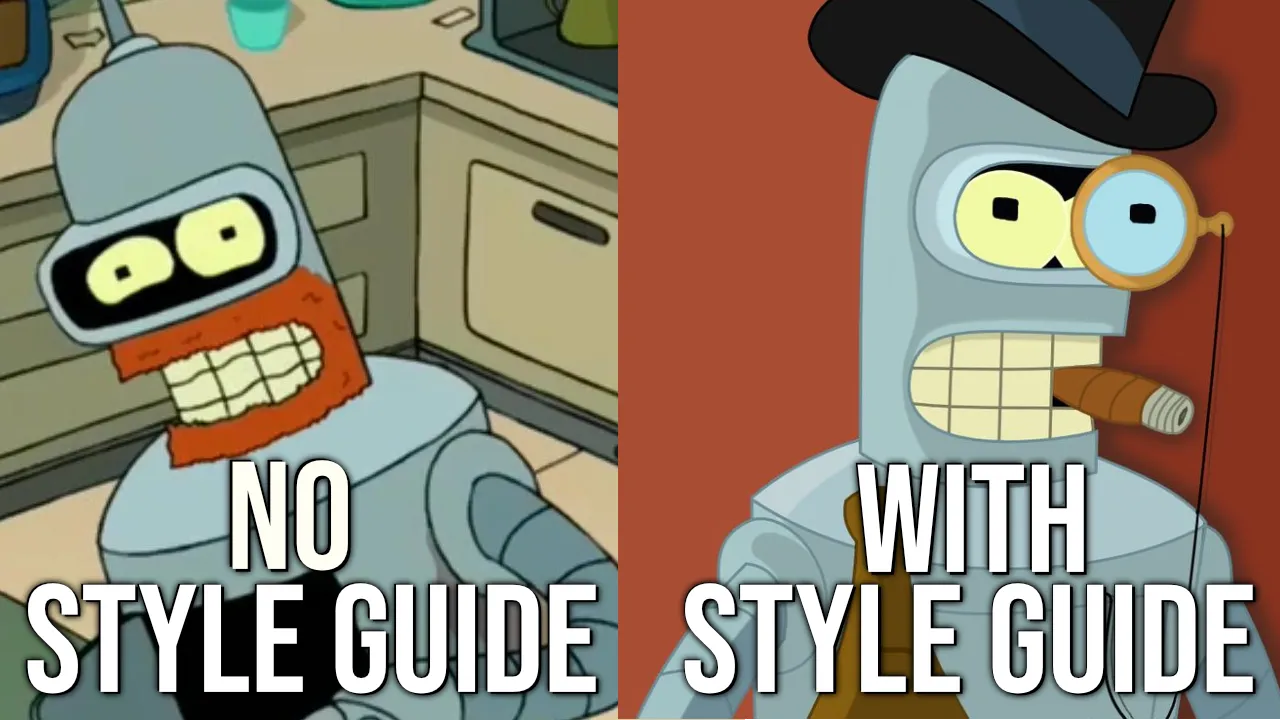
The Problem
Claude keeps inventing colors you’ve never seen. padding: 14px when your system uses --space-3. font-family: sans-serif when you’ve got a custom font stack. None of it matches your client’s branding document.
Claude isn’t broken: he just doesn’t know your design system. Without context, he takes the path of least resistance.
The Solution
A user-driven wizard that builds a style guide Claude can reference. Not just documentation for humans: a context tree that Claude navigates when writing CSS or building components.
| Before style guide | After style guide |
|---|---|
padding: 14px | padding: var(--space-3) |
| Random hex colors | color: var(--text-1) |
| Inconsistent spacing | Your spacing scale |
| ”I don’t know your font stack” | Exact font families from your config |
Features
- Choose a framework: (Tailwind, Bootstrap, Open Props, etc.)
- Extracts color palettes from images using ImageMagick
- Semantic CSS tokens for colors, typography, and spacing
- Generates component templates with accessibility notes
- Handy
/style-guidecommand to remind Claude when he forgets.
Install
claude plugin marketplace add getskillsdev/claude-style-guide-wizard
claude plugin install gsd@claude-style-guide-wizard
Usage
/gsd:style-wizardHow It Works
The wizard asks 11 questions about your project. Each answer becomes documentation Claude can reference.
Framework Detection
Claude needs to know if you’re using Tailwind, Bootstrap, Open Props, or vanilla CSS. Claude cant scan the file system every moment. Claude just guesses when it doesnt know. You get class="btn btn-primary" in a Tailwind project, or utility classes when you use Bootstrap.
What Claude learns: Naming conventions to use, what utilities are available. Use framework components or write custom CSS.
Brand Context
“Build a hero section” means nothing without context. Is this a fintech startup or a children’s toy store? Claude’s defaults are generic — corporate blue, sans-serif, centered everything. Claude wants to help you ship, not polish.
What Claude learns: Who is the audience, vibe. A playful brand gets rounded corners and bouncy buttons. A serious one gets sharp edges and no animation.
Semantic Tokens
Raw values are the root of inconsistency. Claude might use #3b82f6 in one component and #2563eb in another — both “blue” but not your blue.
What Claude learns: Tokens are important. Your variable names. Instead of inventing values, Claude writes var(--color-primary) and var(--space-4). Every component speaks the same language.
Color Palette
Claude knows color theory but not your brand colors. Claude doesnt remember what colours you used on a call-to-action button 3 days ago - unless its in a structured form.
What Claude learns: Exact hex values, semantic names, when to use each color. “Error states: --color-danger” is site-wide.
Grid & Layout
Some projects use CSS Grid for everything. Others are flexbox-first. Some have a 12-column system, others use content-based sizing. Want to use tables for layout? - Claude can do that.
What Claude learns: Your layout primitives. Use grid-template-columns or flex? What’s your max-width? How do you handle responsive breakpoints?
Typography
Font pairing is subjective. Claude’s suggestions are reasonable but generic — it doesn’t know you have downloaded a specific google font, or that your brand guidelines mandate Inter for body-text.
What Claude learns: Exact font stacks, size scales, line heights. No more font-family: sans-serif when you wanted: font-family: 'Geist', system-ui.
Icons
Mixing icon libraries is visual chaos. Claude might suggest Heroicons in one component and Font Awesome tomorrow.
What Claude learns: What sets are installed, import patterns, sizing conventions. Consistent visual identity.
Components
Every project has opinions about buttons, cards, modals. Use compound components? flat props? Some have strict accessibility patterns.
What Claude learns: Your component API. When you say “add a button,” Claude uses your button pattern — not a generic one that works for most.
Dos and Don’ts
This is where you encode your pain points. “Never use !important.” “Always use gap instead of margin for spacing between items.” “Only color-mix() from a base colour in the palette.css.”
What Claude learns: Your rules. Do you enjoy discussing css minutia in PRs. - Claude can get it right before you commit.
Modern CSS
Some projects need to support older browsers, can claude use: (container queries, :has(), color-mix()). Do you support IE11? Claude defaults to safe, widely-supported CSS — which might mean missing out on cleaner solutions.
What Claude learns: What’s allowed. Are container queries fair game?. If you are stuck on older browsers, Claude won’t suggest features that break.
Output
After running the wizard, you get:
style-guide/— directory with markdown docs and CSS files for your design system.claude/commands/style-guide.md— a command for querying and extending the guide
The more code examples you include, the better Claude performs.
Start simple - extend as you go!
Pro tip: When you write great CSS, tell Claude to “save it to the style guide.” Your context tree gets better over time.
Troubleshooting
ImageMagick not found? If you want to define a palette from an image: Color extraction requires ImageMagick. Install from imagemagick.org or brew install imagemagick.
Ready to try it? View on GitHub or run /gsd:style-wizard in your project.
Source
https://github.com/getskillsdev/claude-style-guide-wizard
Subscribe to Skills Weekly, a digest of the hottest plugins & industry news. Only one email a week.
We respect your privacy. Unsubscribe anytime. Privacy Policy
Questions or feedback? Reach out on X @GetSkillsdev
← Back